The short version
Three of the six stages between finishing the work and the money arriving belong to you, and they are the only three worth optimizing. Write the invoice the day the work ends, print a due date, and put a way to pay on the page. Everything after that is their process, and the way to speed that up is to give it nothing to query.
Where the wait actually is
Most advice about getting paid faster is really advice about chasing, and chasing happens at the end. By then the wait has already happened.
The stages you own are the ones before the invoice reaches the client. They cost nothing to shorten and nobody has to be persuaded of anything. The stages after that belong to the client, and you cannot shorten them. What you can do is stop them stalling, which is a different job and mostly a matter of leaving nothing to query.
The three that are yours
- Write it the day the work ends. Not at the end of the month, not when you next sit down to admin. Every day here is a day added to the total for no reason at all, and it is the cheapest day you will ever save.
- Print a due date, not just a term. Net 30 asks the reader to count. A date does not. Print both if you like, but never print a term and a date that disagree.
- Put the way to pay on the document. Bank details, a link, a code they can scan. The invoice should not require a reply to act on.
The invoice number counts too. A number in a sequence, unique, never reused. It is how the client finds the invoice again when they query it, and how you find it when you chase. The numbering guide covers the formats that sort correctly.
Making the payment a decision, not an errand
This is the change with the largest effect per minute spent. Bank details on an invoice require the client to be at a computer, log in, type a sort code, type a reference and hope they typed it right. A link requires them to press it.
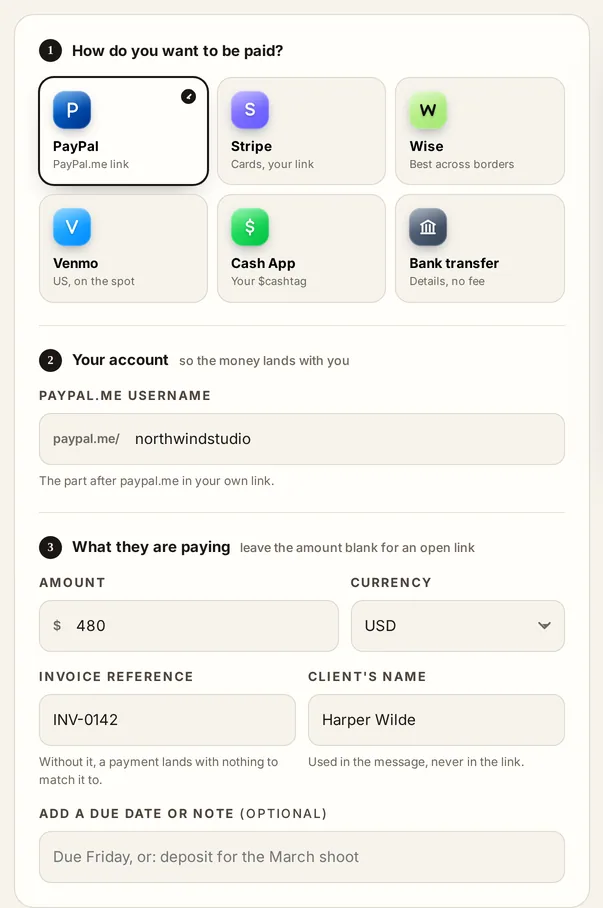
- A link for anything a consumer pays: PayPal, Venmo, Cash App.
- Bank details for business clients, who mostly pay by transfer whatever else you offer. Give the reference to quote.
- A code to scan for anything paid in person or from a printed sheet. It turns a printed invoice into something payable on a phone.
- All of them is fine. Anything you leave empty is left off the printed page rather than shown blank.
The payment links guide goes through building each one and which suits which kind of job.
Giving their process nothing to query
You cannot make a payment run happen sooner. You can make sure your invoice is not the one that gets pulled out of it.
| What stalls it | What stops that |
|---|---|
| No purchase order number | Ask for it before you start, and print it in the header |
| A name that does not match their records | Use the client's legal or trading name, not your contact's name |
| A total they cannot reconcile | Itemize, and show the tax and any deposit separately |
| Sent to a person, not to accounts | Ask where invoices go. It is usually a different address |
| A surprise | Anything not on the quote should have been a change order first |
None of that is about being pushy. It is about being the invoice that requires no thought, because the ones that require thought are the ones that wait.
Changing the shape of the job
Everything above shortens the wait. These change how much of your money is in the wait at all.
- A deposit. On long or material-heavy work, the deposit is what stops you funding somebody else's job. A third is common.
- Stage payments. On anything running over weeks, bill at agreed points rather than at the end. Progress billing: format and example covers how to set the stages.
- A retainer. Where the work recurs, a monthly retainer billed in advance puts the cash in front of the work rather than a month behind it.
- Payment before delivery. For a new client, or one with a history. It is not rude; it is a term, and terms are negotiable at the start and not at the end.
And then chasing
When it is genuinely late, chase on a schedule rather than on a feeling: a short note the day after the due date, a call at a week, the overdue notice with the late fee at two, the formal demand at a month. Written down in advance it is admin. Left to the day, it feels like a confrontation and gets postponed, which is how a late invoice becomes an old one.
A follow-up sequence you can reuse
Chasing works when it is a routine rather than a decision. Write the four messages once, keep them polite and short, and send them on the same days every time so no invoice waits on your mood.
- The day it is due. One line, friendly, with the invoice attached again and the payment link in the body. Most late invoices are unopened, not refused.
- Seven days after. Ask a question rather than repeat the demand: has this reached the right person, and is there anything you need from me to get it processed.
- Fourteen days after. Move it to whoever handles payments if you have been talking to whoever ordered the work. State the amount, the invoice number and the date it was due.
- Thirty days after. Say what happens next, and mean it: work paused, a late fee or Invoice Due Date Calculator applied if your terms allow it where you trade, or a formal letter. The chasing guide has the wording for each.
Send from a person, not from a system. An automated reminder is easy to ignore because nobody is waiting for the reply. A short message with a name on it gets answered, and the answer is usually the thing that was blocking it.
The invoice itself is half the wait
Before the chasing starts, the document decides how long the first leg takes. Four things on it move the date more than any reminder does.
- The due date as a date. Not a term the reader has to convert.
- A way to pay on the page. A payment link or a QR code turns paying into one tap rather than a login.
- The reference they need. A PO number where their process uses one, or the invoice sits in a queue nobody is looking at.
- The right recipient. The person who ordered the work is often not the person who pays for it. Ask once who should receive invoices and send to both.
The tools for this
Common questions
How do you get invoices paid faster?
To get invoices paid faster, send on the day the work finishes, put the due date in words rather than a code, and include a way to pay on the document itself.
How do you get invoices paid faster?
Send the invoice on the day the work finishes, put the due date in words rather than a code, and include a way to pay on the document itself.
What is the fastest way to get an invoice paid?
Send it the moment the work ends, with a due date printed on it and a way to pay on the same page. Those three together remove most of the delay that is actually yours to remove.
Do payment links really make a difference?
They remove a step. Paying from a link is a decision; paying from bank details is an errand that has to be done at a computer, and errands get postponed.
Should I take a deposit to get paid faster?
A deposit does not make the final invoice faster, but it means less of your money is waiting on it. On long or material-heavy jobs it is the single biggest change you can make to your cash position.
Does adding a late fee get invoices paid sooner?
It changes the conversation more than the date. A named fee makes chasing routine instead of awkward, and it gives the client's accounts team a reason to prioritize you. What you may charge is set where you trade.
Is it rude to chase an invoice the day after it is due?
No, and the day after is the right moment. A short, friendly note then is read as admin. The same note three weeks later is read as a complaint.
What should I do if a client always pays late?
Change the terms on the next job rather than the tone on this one: a deposit up front, stage payments, or payment before delivery. A client's payment behavior is information to price with.
How long should I wait before chasing an invoice?
Send the first reminder on the due date itself, not a week later. It is a note that the date has arrived, and it costs nothing in goodwill because the invoice is not yet late in anyone's mind.
Does offering an early payment discount work?
Sometimes, and it has a price. Two per cent off for paying twenty days sooner is two per cent of every invoice that client sends, including the ones they would have paid on time anyway. Try shorter terms and a payment link first, because both are free.
Read next
What this is. A guide and template written by James Carter. It is not legal advice. Deposit, cancellation and late fee rules differ by state, so have any wording you rely on checked for your state before it goes on a real document.
Last reviewed by InvoiceTools, Houston, Texas, on 31 August 2026.